Hermes Agent — My personal AI assistant that manages my homelab
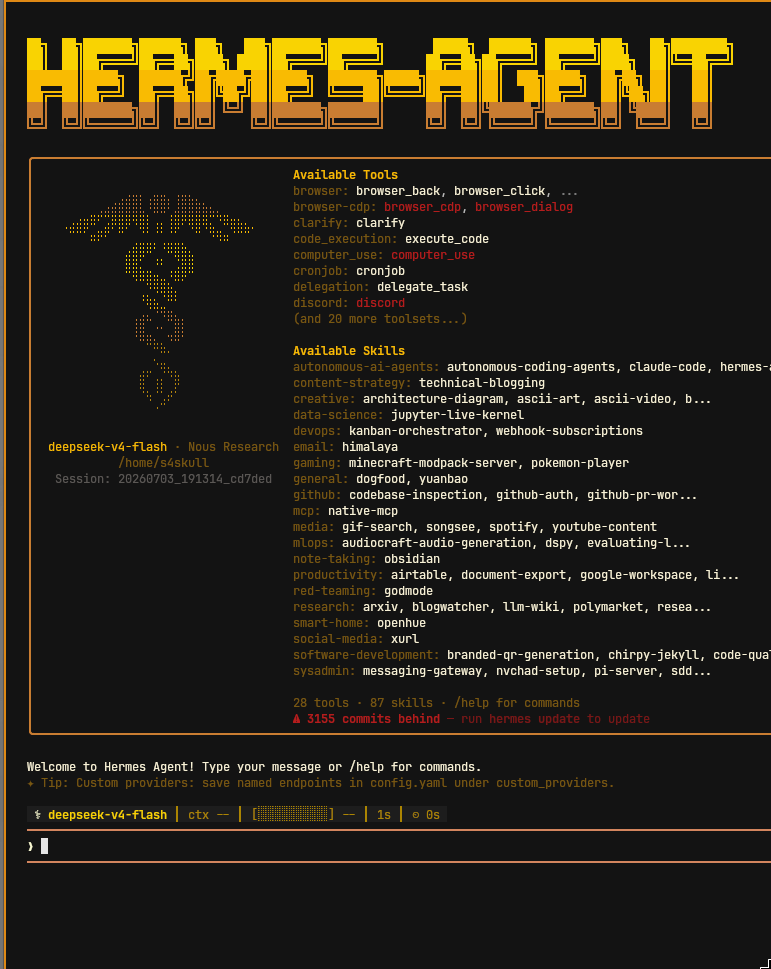
I use AI every day. Not through a web interface — through a terminal agent that SSHes into my server, checks my Docker services, writes to my Obsidian vault, and runs automations on a schedule. No subscriptions, no vendor lock-in.
Why an agent, not a chatbot
A chatbot responds. An agent acts.
Real examples from my workflow:
- “Check all Docker services on the Pi and report anything unhealthy”
- “Save this command in my Obsidian vault under the right folder”
- “Run a diagnostic on the remote server and tell me what you find”
- “Every morning at 7 AM, review all services and send me a summary”
These are actions, not conversations. Hermes Agent executes them.
The setup
Hermes Agent by Nous Research runs on my Arch Linux tower. It’s a CLI-based agent framework designed for tool use — terminal access, file system, cron scheduling, browser, and more.
Local inference: Ollama with llama3.1:8b for quick tasks and qwen2.5-coder:14b for code work.
Cloud routing: OpenRouter as the primary provider for complex analysis — lets me switch between models without touching config files.
The agent picks the right model based on the task. Routine commands run locally. Complex analysis goes to the cloud. No wasted tokens.
Skills — the real superpower
Skills are reusable markdown files that teach the agent how to do things. Each one contains instructions, commands, and conventions for a specific domain.
I’ve built skills for my environment:
- pi-server — SSH into the Raspberry Pi, inspect Docker services, check disk and memory usage, restart containers
- obsidian — Read, search, create, and edit notes in my vault with proper folder structure
- virt-manager — Manage KVM/libvirt VMs on the tower — inspect, start/stop, troubleshoot video issues
- shell — Execute local commands with the right conventions for CachyOS (Arch-based)
Skills are how you go from “interesting demo” to “daily driver.” Every time I fix a recurring issue, I update the skill. The agent learns from mistakes automatically.
Automations that run on their own
Stack Daily Review — cron job at 7 AM: Every morning the agent checks:
- All Docker services on the Pi (n8n, portainer, gitea, open-webui, vaultwarden, couchdb, homepage, hroute-stats, watchtower)
- All running Ollama models on the tower
- Disk usage on both machines
If something’s down, I get a Telegram alert. I wake up knowing the state of my homelab.
On-demand automations: I trigger the agent for specific tasks via terminal or Telegram gateway — restart a stuck container, query a model, save a note in Obsidian. No dashboards to open, no SSH sessions to start.
The Telegram integration
The agent connects to a Telegram bot via Hermes’ gateway. I can message it from my phone: “check the Pi services” or “run the daily review now.” It answers in the same chat with the results, including screenshots or command output when relevant.
Useful for when I’m away from the tower and need to check something.
What I learned
- The gap between “explain” and “execute” is wider than you think. An agent needs explicit confirmation gates for destructive operations. I learned this the hard way when a misphrased prompt almost restarted portainer in production.
- Context is everything. Without memory, skills, and file access, the agent is blind to your environment. A fresh AI with no context makes generic assumptions that are usually wrong.
- API keys never go in CLI args.
ps auxwill show them to anyone. Environment variables or config files only. - Cron jobs need self-contained prompts. A job that runs at 7 AM has no memory of the conversation where you set it up. Every instruction must be in the prompt itself.
- Dual-model is the sweet spot. Local models for speed and privacy on routine tasks, cloud models for heavy lifting. One provider (OpenRouter) means one config change to swap everything.